How can we help?
Teamlilit is where you schedule lessons, teach them live in the browser, keep track of your students, and close each lesson with notes and homework.
Search at the top of the page for a specific answer, or start with one of the walkthroughs below.
Start here
The five things people ask first
- Create your account and complete your profile
- Schedule your first lesson
- Open the hours students can book
- Join the live classroom
- Write the wrap-up after a lesson
Your dashboard
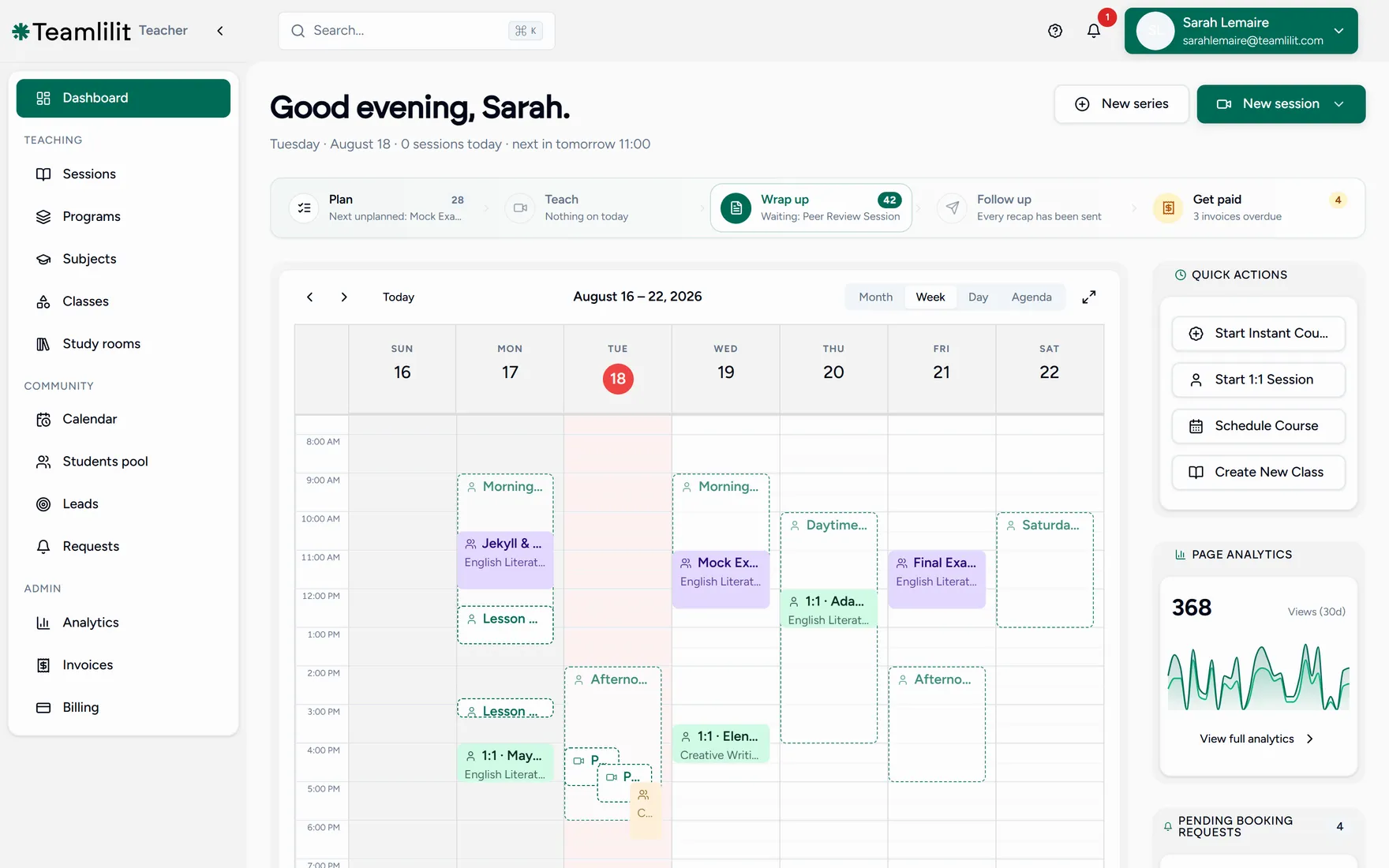
Everything below starts from the same place: the dashboard you land on after signing in. The left rail is your menu, the strip across the top follows one lesson from planning to payment, and the panel on the right holds the shortcuts you reach for most.
Browse by topic
Getting startedBooking and schedulingLive classroomCourses and programsStudents and classesInvoices and paymentsAI session summariesAcademy managementBilling and plansAccount and settings
Cannot find what you need? Every page has a Still stuck? Contact support link under the table of contents, and you can reach the team from the support form in the app. See Getting support.