Managing your subscription
Your billing page
Open Billing from the Admin group in the menu.
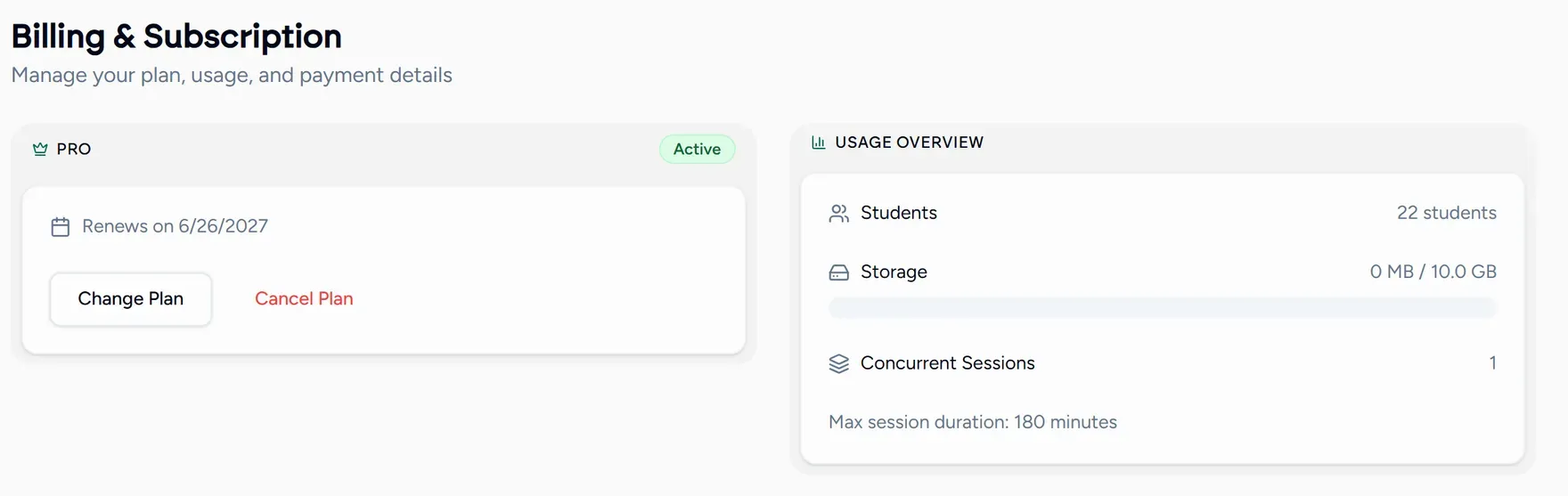
It shows your current plan, how much of each limit you are using, any add-ons, and your payment history.
Starting out
New teaching accounts begin on a 14 day free trial with no card required. The trial runs with Pro limits, so nothing is hidden from you while you are deciding.
When the trial ends you pick a plan. There is no free tier to fall back to, so choose before the last day if you have lessons booked.
Changing plan
Choose the plan you want
From your billing page or the pricing page . Switch between monthly and yearly billing there; yearly works out cheaper per month.
Confirm through Paddle
Payments are handled by Paddle, which takes care of checkout, invoices and tax. Prices are shown in your local currency automatically.
The new limits apply
An upgrade takes effect for your next lesson, so a group you could not run this morning runs this afternoon.
Need one thing rather than a whole plan? Add storage, a parallel lesson, a staff seat or AI credits on top of what you have. See Add-ons and extras.