Your public booking page
Every teacher has a page at teamlilit.com/t/your-username. It shows your
photo, name, bio and subjects, and the hours you have opened for booking.
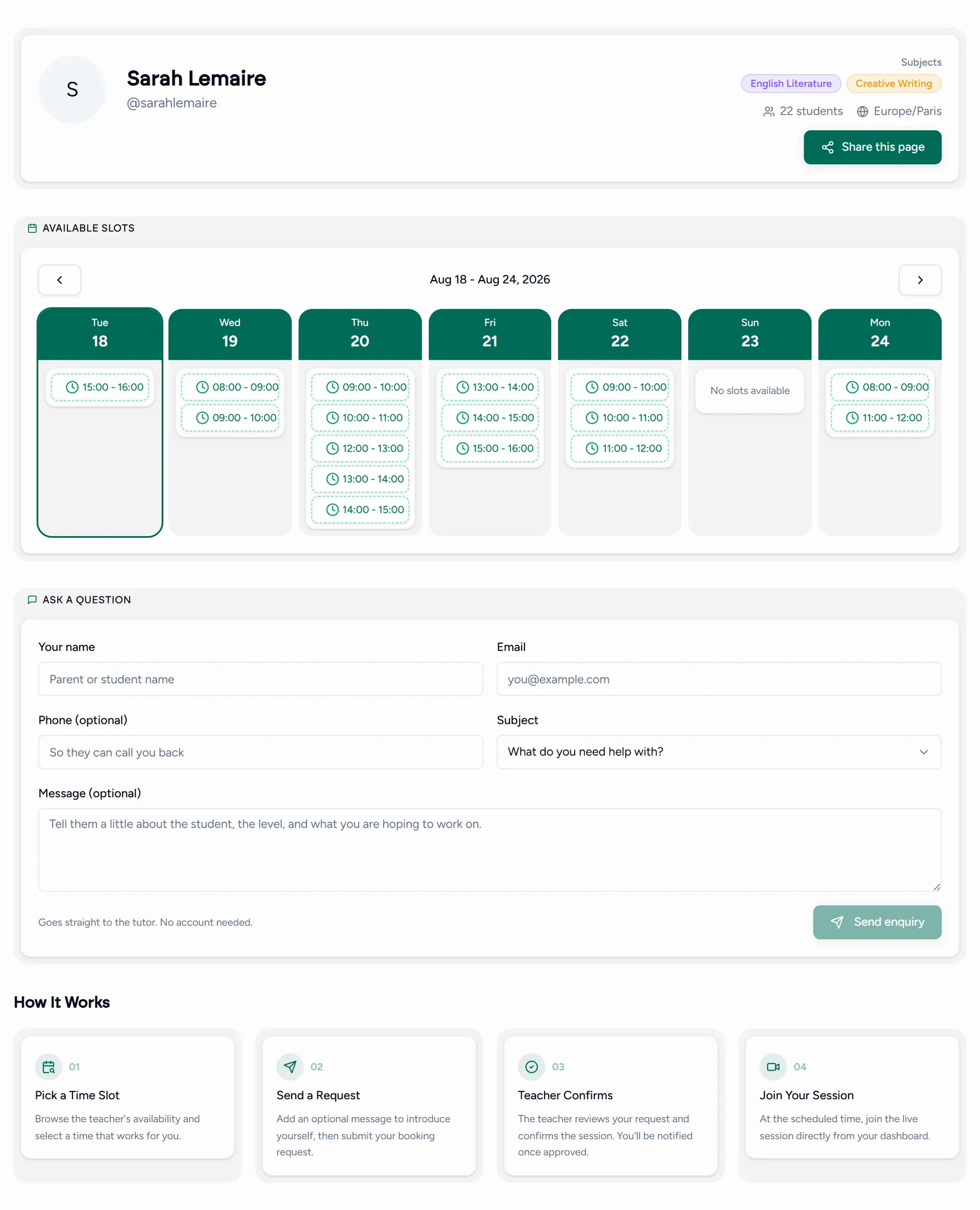
It is the link to put in an email signature, a social profile, or a flyer. A visitor does not need an account to see it.
Turning it on
Check your profile is worth landing on
The page is only as good as your photo, bio and subjects. All three come from the Profile tab in Settings. See Your profile.
Open some hours
The calendar on the page shows your availability windows. With none set, the page has nothing to offer and says so.
Share the link
From the page you can:
- Copy link and paste it anywhere.
- Generate a QR code and download it as a PNG for print.
- Share straight to email, X or LinkedIn.
What happens when someone books
- A visitor who is not signed in is taken to sign up as a student first. The slot they picked is remembered, so the booking completes as soon as they register.
- A signed in student picks a slot, adds an optional message, and books.
- The result is confirmed straight away if you accept bookings automatically, or a request if you review them yourself. See Approving booking requests.
Your page only ever shows hours you have opened, so keeping availability current is the whole job. Stale availability is worse than none: it produces requests you have to decline.
Is anyone actually looking at it
Analytics in the Admin group of the menu answers that for the booking page specifically.
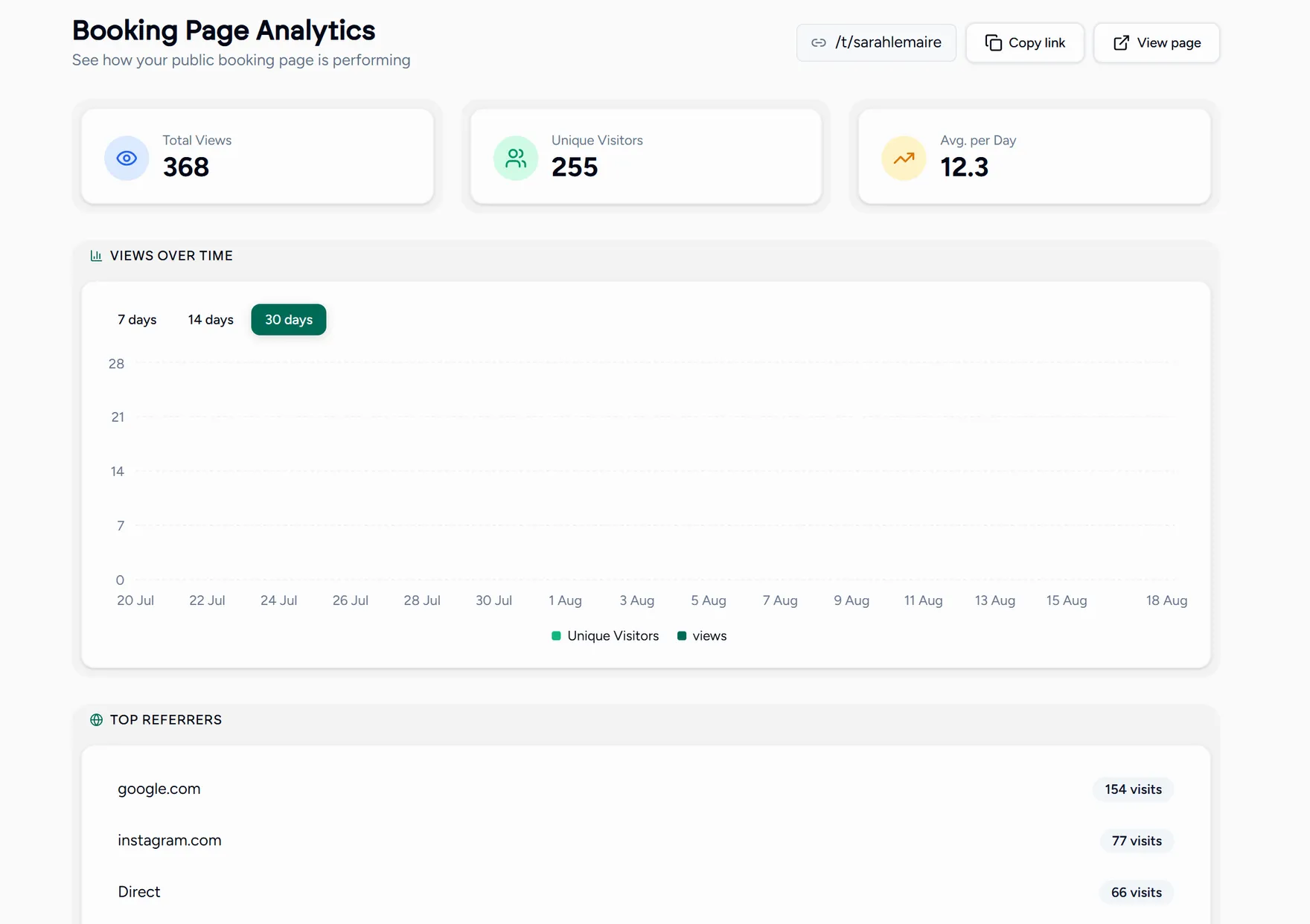
You get total views, unique visitors, an average per day, a chart over the last 7, 14 or 30 days, and the top referrers: where your visitors came from.
That last one is the useful one. If most of your visitors arrive from one place, that is where the next hour of your marketing should go, and if nobody arrives at all, the page is not the problem yet: nothing is pointing at it.
Enquiries without a booking
Someone who is not ready to book can send an enquiry from the same page. It arrives on your Leads board, where you can follow it up rather than losing it in your inbox.